


Every screen in the school. In under a second.
Phones live in pockets and drawers during the school day. The classroom PC, the teacher’s laptop, the whiteboard or the computers in offices are what people are already looking at. That is where they need the alert.
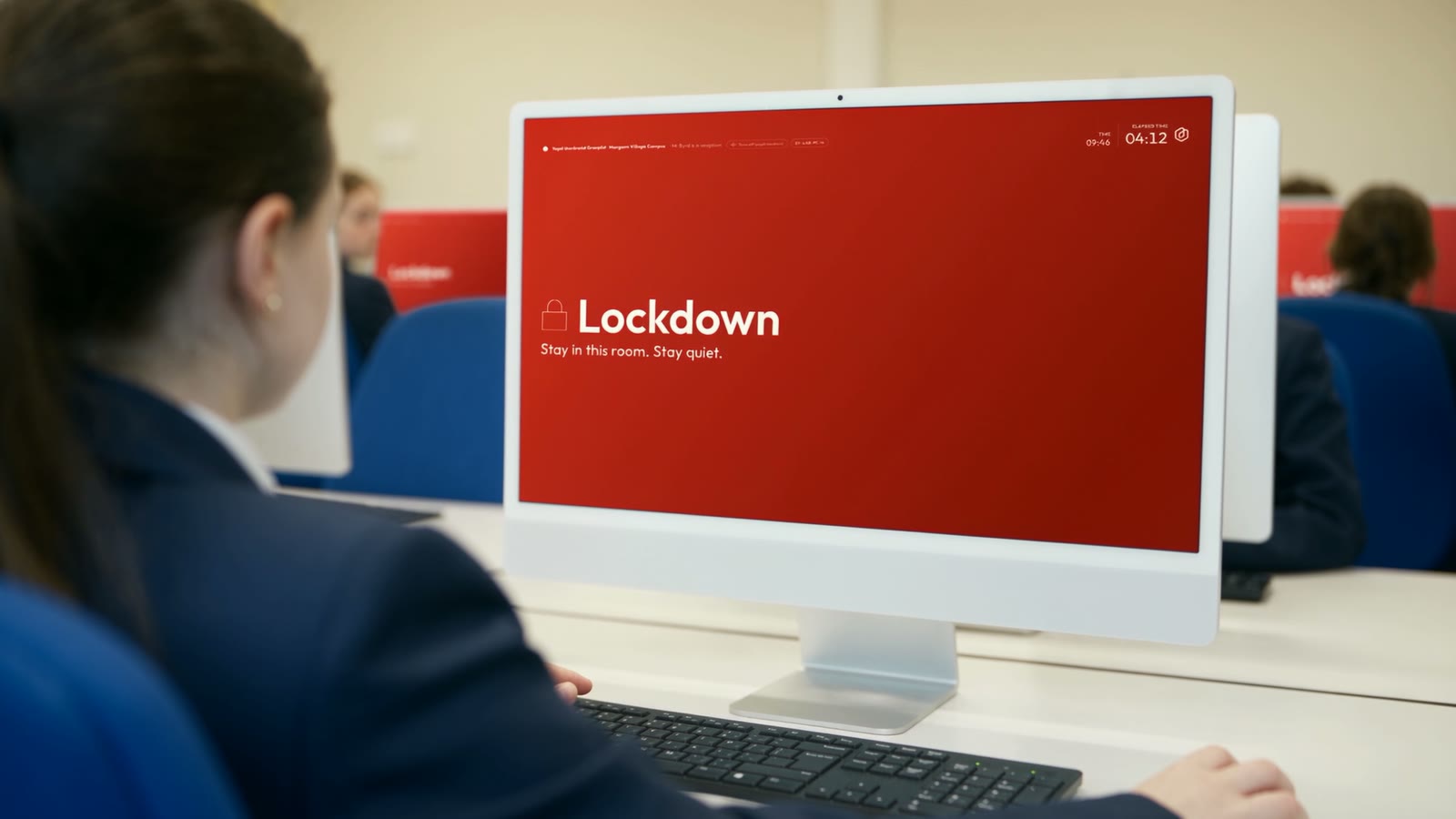
It takes over every screen, and it cannot be closed.
The moment an emergency starts, OnSite Alert takes over every one of them: full screen, on every monitor, coloured by the type of emergency, whatever anyone was doing. It cannot be closed until the all clear.
Full screen, on every monitor
Colour-coded by emergency type
Stays up until the all clear
Your drill leaves a record.
Which machines took over, which did not, and how long it took in each part of the school. That record is how you know the system works, and it is the documented evidence of preparedness your school is expected to be able to show.
Where it fits with Martyn’s Law.
The Act names four public protection procedures: evacuation, invacuation, lockdown and communication. Alert is the most direct answer to communication the product has.
OnSite is not a compliance product on its own, and no software is.
Read our Martyn’s Law guide- EvacuationGetting everyone out
- InvacuationMoving everyone to safety inside
- LockdownSecuring the building
- CommunicationTelling everyone, fastThis is Alert
What else it does.
Four things that matter once the alert is on the screen.
The room reports back
Door secured or not, safe or needs help, how many people are in the room, medical or security. A commander can push an instruction to one room or all rooms and see which have acknowledged it. A room showing the alert that has tapped nothing is a room to check.
Types, not modes
Every alert is an emergency, a situation or an issue, and each looks different. A medical hold does not look like an intruder: each type has its own colour, wording and alarm level.
Sensory-safe mode
The school can switch off all pulsing and flashing, whatever the emergency. Their call, not ours.
Windows and macOS
Pushed out with Intune, Group Policy or Jamf. One installer for the whole estate, and nobody types a school code.
£229 a year for a primary. £449 for a secondary.
Adding Alert to OnSite is optional. We charge a flat rate to schools to do so, so you can decide which machines it needs to be on, without making any compromises.
Secondary includes special schools and PRUs (pupil referral units). All prices are a year and exclude VAT.
Before you buy
One thing to check with whoever runs your network
Alert machines hold an open connection to us. That is how an emergency reaches every screen in under a second rather than each machine asking us every few seconds whether anything has happened.
Your network has to allow that connection. It is worth confirming before you buy, because a school whose network cannot allow it cannot run Alert.